


Employees
Profiles, employment details, schedules, work settings, status, and salary assignments.
WorkForce365 connects employee records, live attendance, leave, salary rules, payroll, payments, operating finance, and integrations—so each decision starts with the same data.
The operating layer between people and payroll
Attendance, approved leave, holiday rules, salary structures, bonuses, deductions, overtime, and payments stay connected instead of being rebuilt in spreadsheets.
A complete operating system
The product is organized around real daily and monthly workflows—not a collection of disconnected HR screens.
Profiles, employment details, schedules, work settings, status, and salary assignments.
Check-in and out, breaks, overtime, exceptions, corrections, and monthly summaries.
Balances, paid and unpaid requests, approvals, public holidays, and weekly days off.
Reusable components, exact 100% templates, performance ranges, and effective assignments.
Traceable monthly calculations, bonuses, deductions, approvals, dues, payslips, and ledgers.
Payment batches, partial payments, salary dues, processing status, and audit history.
Income, expenses, approvals, payment progress, cash position, and operating profit.
Roles, permissions, devices, email, Telegram, automation, scheduled tasks, and system health.
One connected lifecycle
Employee
Attendance
Leave
Monthly summary
Salary
Payment
Reports
01 · Live attendance
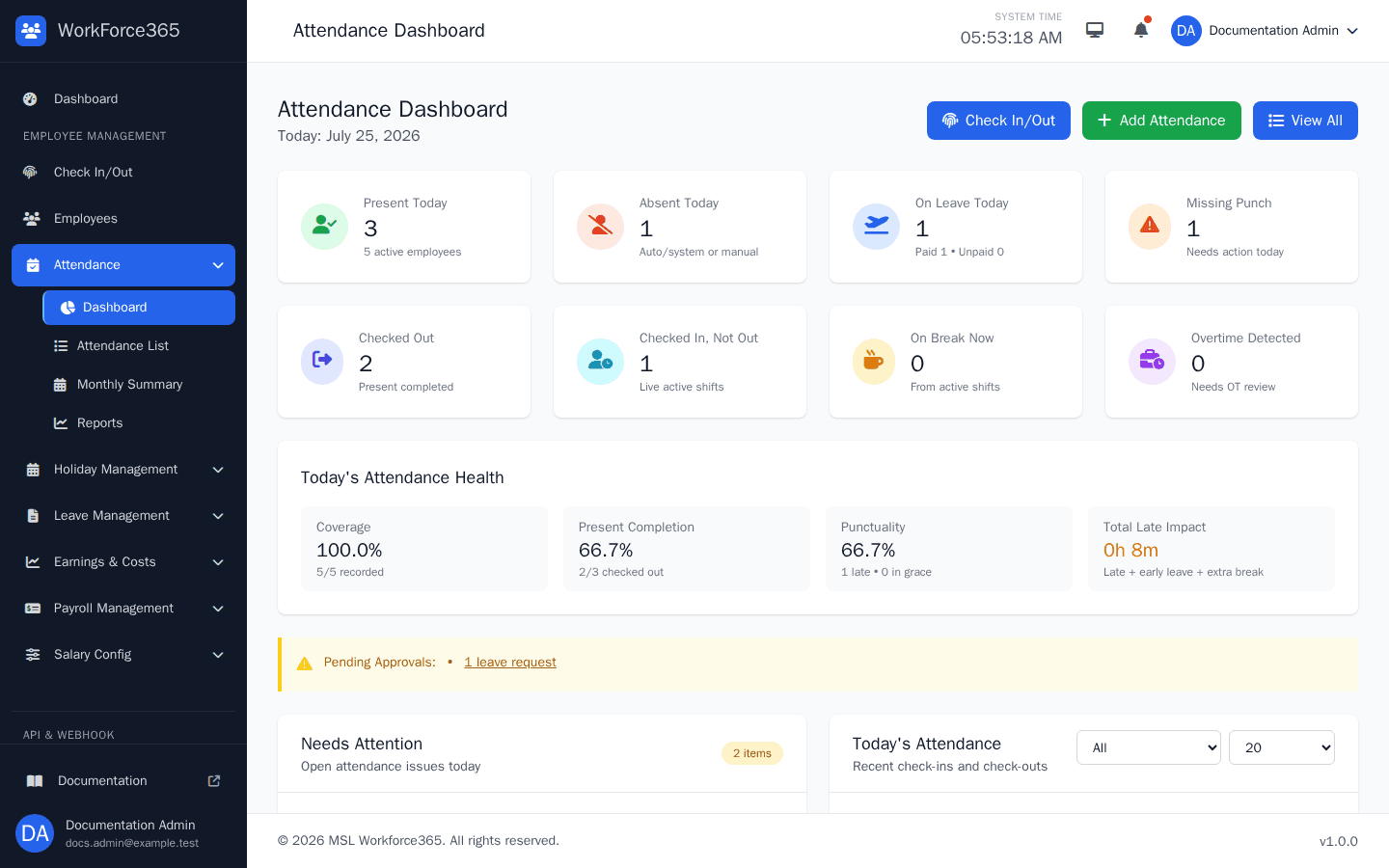
Managers can follow present, absent, leave, missing-punch, active-shift, break, overtime, coverage, and punctuality signals from a live operational dashboard.
02 · Connected payroll
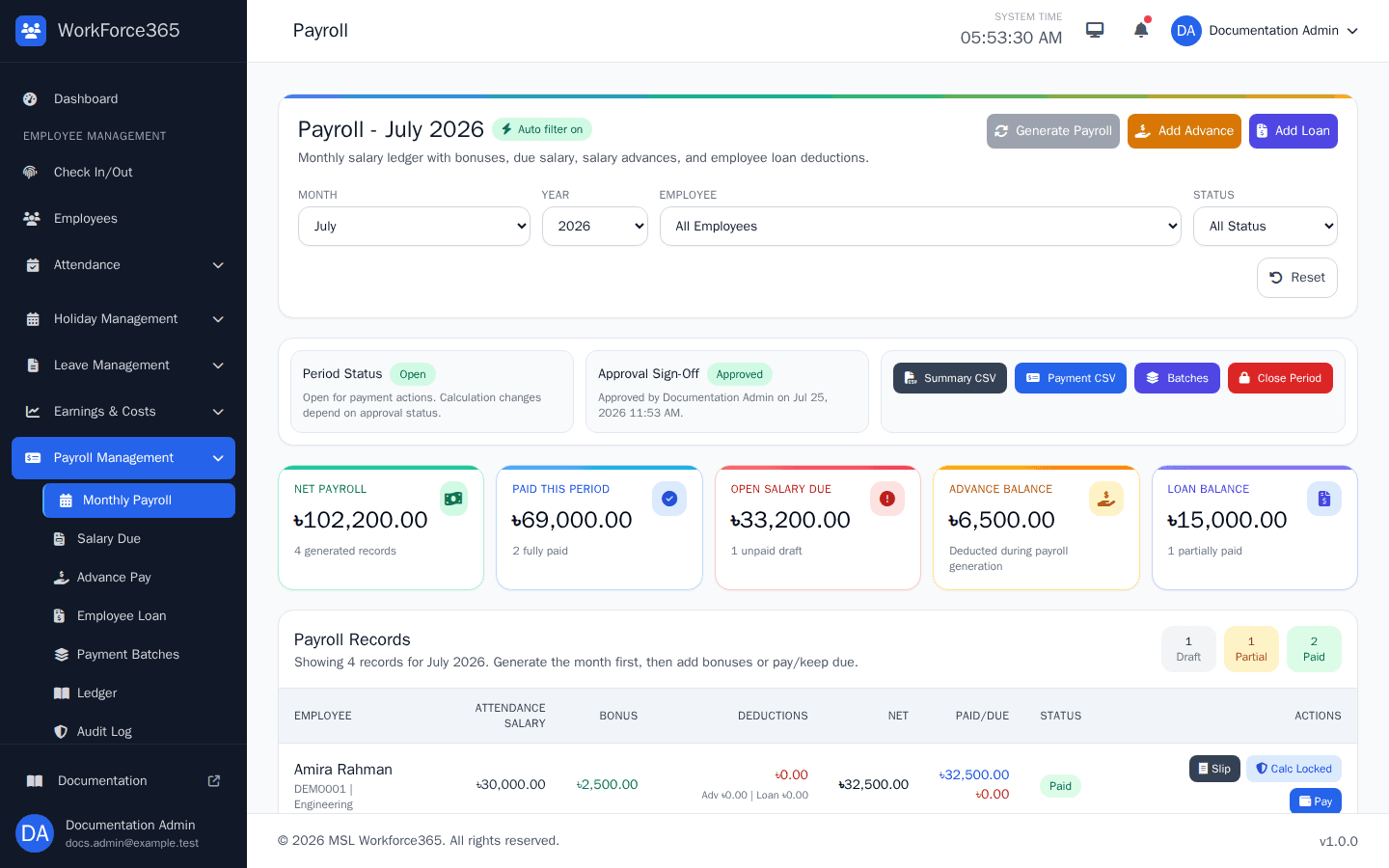
Monthly payroll combines salary templates with attendance, leave, performance, bonuses, deductions, advances, loans, and overtime in a controlled period.
03 · Operating finance
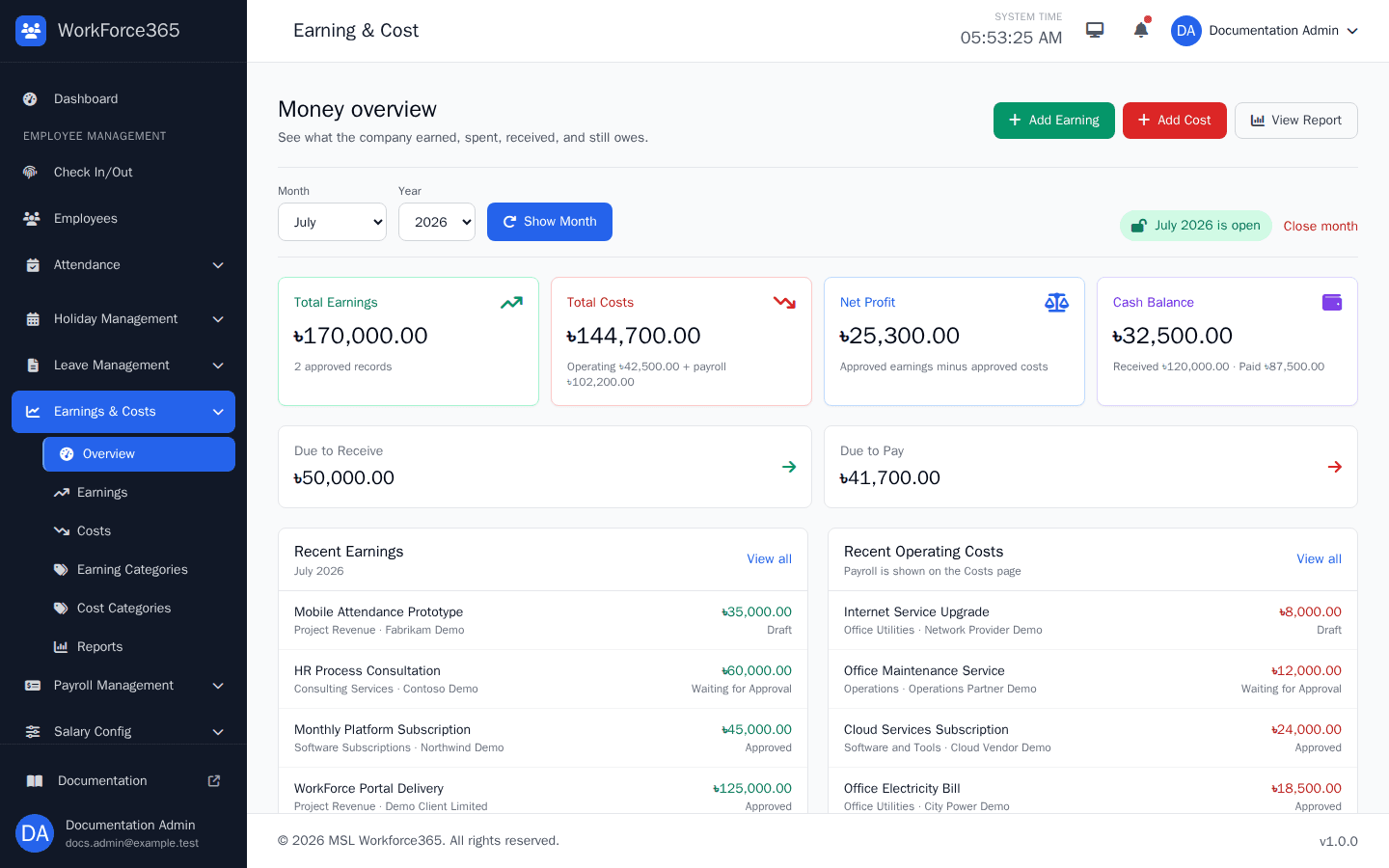
Record approved earnings and operating costs, follow what has been received or paid, and see payroll as a connected business cost without duplicating records.
Built to connect
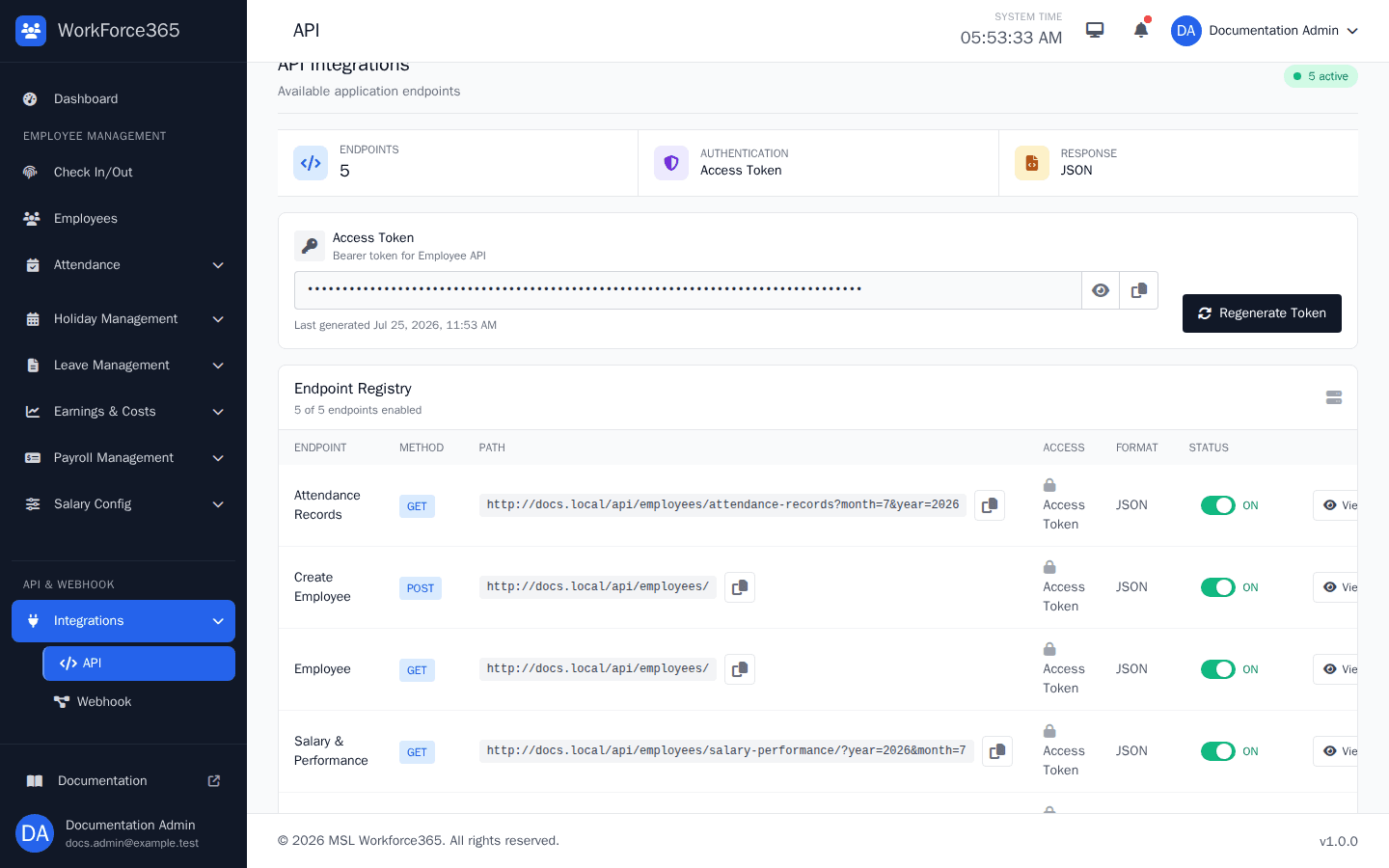
WorkForce365 documents and manages its integration endpoints so trusted systems can exchange employee, attendance, leave, payroll, and finance data without relying on browser automation.
The right view for each responsibility
Operational controls
Menus, actions, approvals, payroll data, and settings follow each user's responsibility.
Effective salary settings and monthly snapshots preserve the values used for a finalized period.
Audit history, payslips, payroll ledgers, PDF, and CSV reports keep decisions explainable.
Attendance devices, employee rules, email, Telegram, and scheduled operations remain visible to administrators.
Practical answers
It can replace disconnected employee files, attendance tools, leave sheets, salary calculators, payment trackers, and operating-finance spreadsheets with one connected workflow.
Yes. Daily attendance, leave, holidays, work time, and overtime are consolidated into a monthly summary before salary and payroll calculation.
Yes. Administrators create reusable salary headers and templates, set performance ranges, then assign effective salary settings to employees.
Yes. WorkForce365 includes attendance-device administration, bearer-token APIs, a managed endpoint registry, webhook subscriptions, and delivery logs.
Period controls, approval states, effective records, snapshots, and audit history are designed to protect finalized payroll and finance records.
We tailor the tour to your employee lifecycle, attendance process, leave rules, salary structure, payroll approvals, payment flow, reporting, and integration needs.
A product tour built around your workflow
Tell us how your team handles attendance, leave, salary, and payroll today. We will prepare a focused WorkForce365 walkthrough.